Podcart Operator Training

Short Video Script Companion

Fullscreen slide deck for the teleprompter script. Use the keyboard arrow keys or space bar to advance.

12 videosEach designed for roughly 1 to 5 minutes.
20 slidesBuilt from the walkthrough screenshots.
Local assetsEverything lives outside the Podcart git repo.
Before Recording

Start recorder-api before filming session workflows

The UI and control-api were available during the walkthrough, but recorder-api was not listening on port 8081. Refilm Status and session steps with recorder-api healthy.

UIlocalhost:3000 was running.
Control APIlocalhost:4000 was running.
Recorder APIlocalhost:8081 was not running.

Video 1

Start with the recording strip

The record button stays disabled until a session exists. The strip carries session name, elapsed time, and part number.

  • Session first, recording second.
  • Timer and part count confirm recording context.
  • Disabled record button is expected before session start.
Mixer screen with Start Session To Enable Recording overlay
Top recording strip and disabled recording overlay.

Video 1

Session menu and start modal

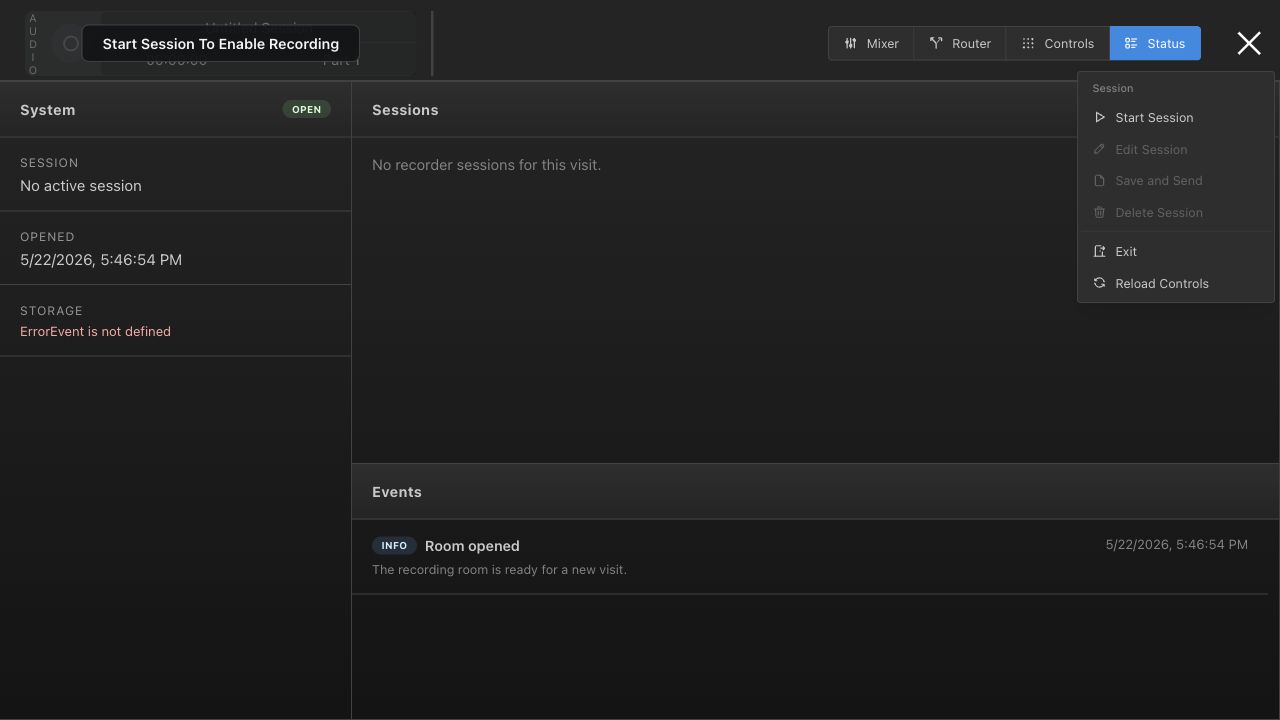
App session menu
Session menu: Start Session, Save and Send, Delete Session, Exit.
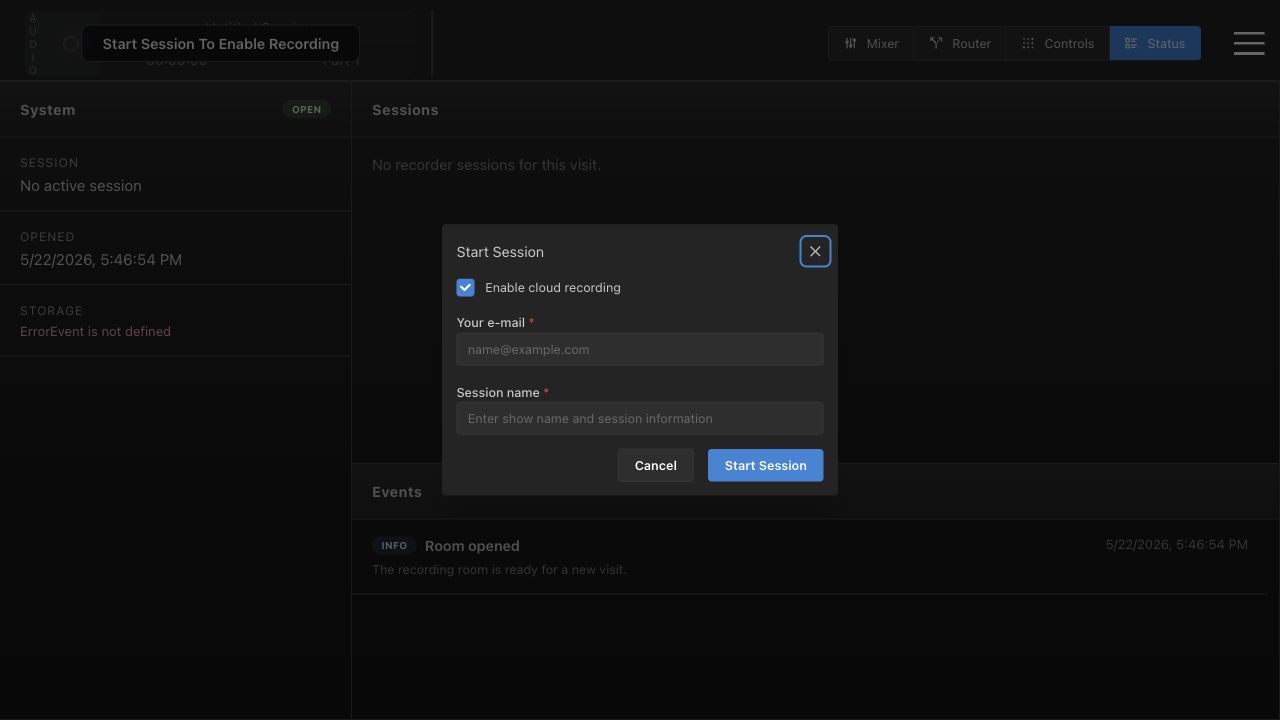
Start Session modal
Start Session: cloud recording, email, and session name.

Video 2

Mixer basics

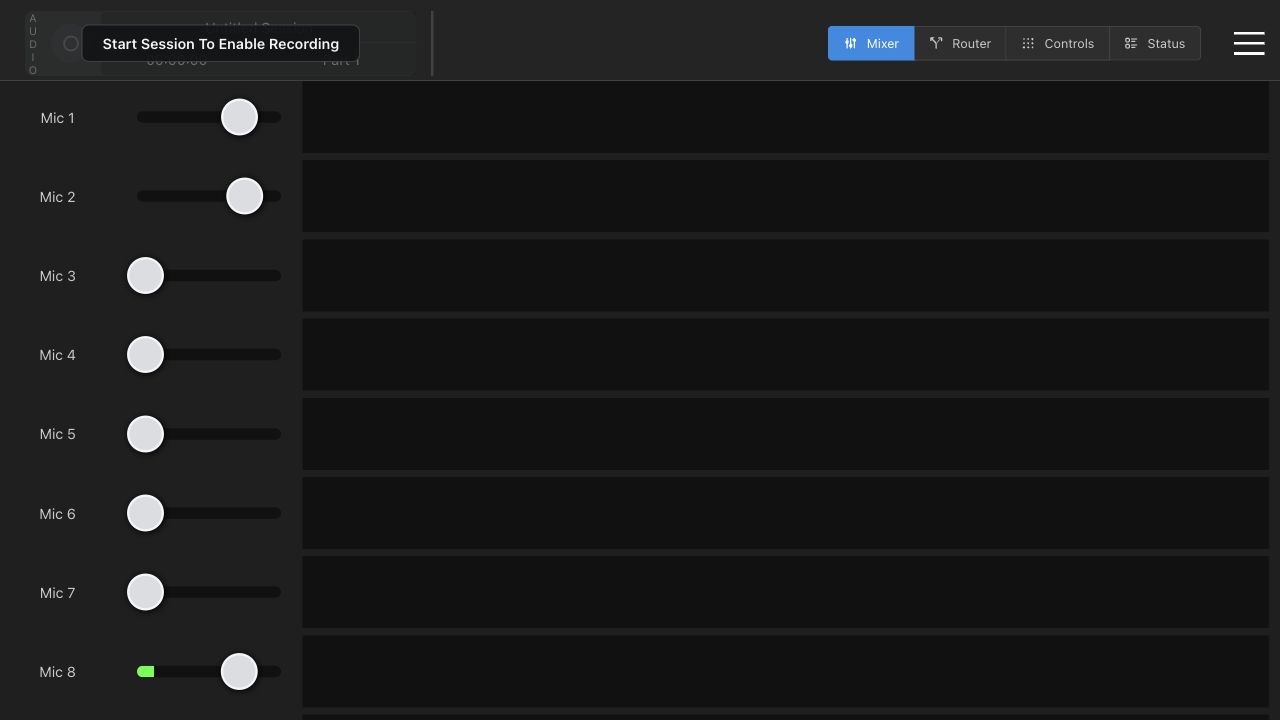
The Mixer tab is home base. Operators recognize the active channels and make small, deliberate changes.

  • Mic 1 through Mic 8.
  • Zoom and Video channels.
  • Recording strip stays visible while mixing.
Mixer faders
Mixer view with channel labels and the persistent recording strip.

Video 3

Full video router overview

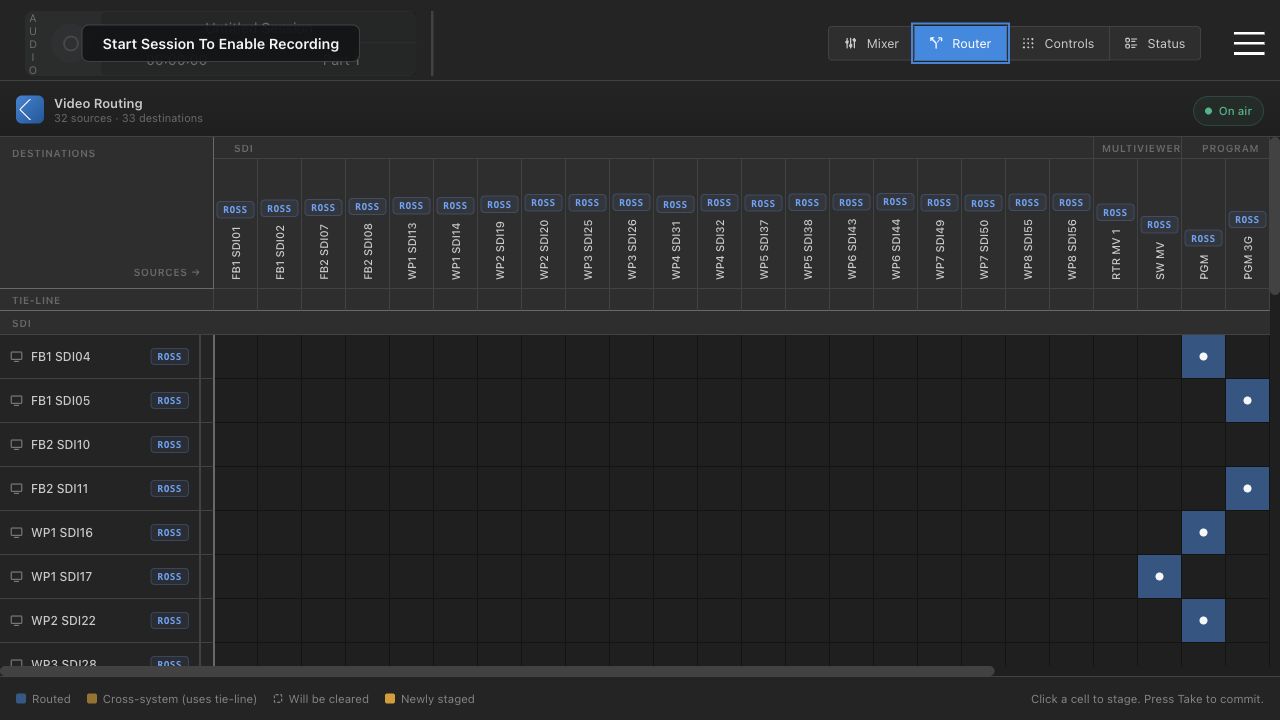
The full router is source across the top, destination down the side. Blue cells are live routes.

  • 32 sources and 33 destinations.
  • Groups keep the matrix readable.
  • On air means no pending staged changes.
Full video router matrix
Video Routing matrix with source groups and destination rows.

Video 3

Click stages, Take commits

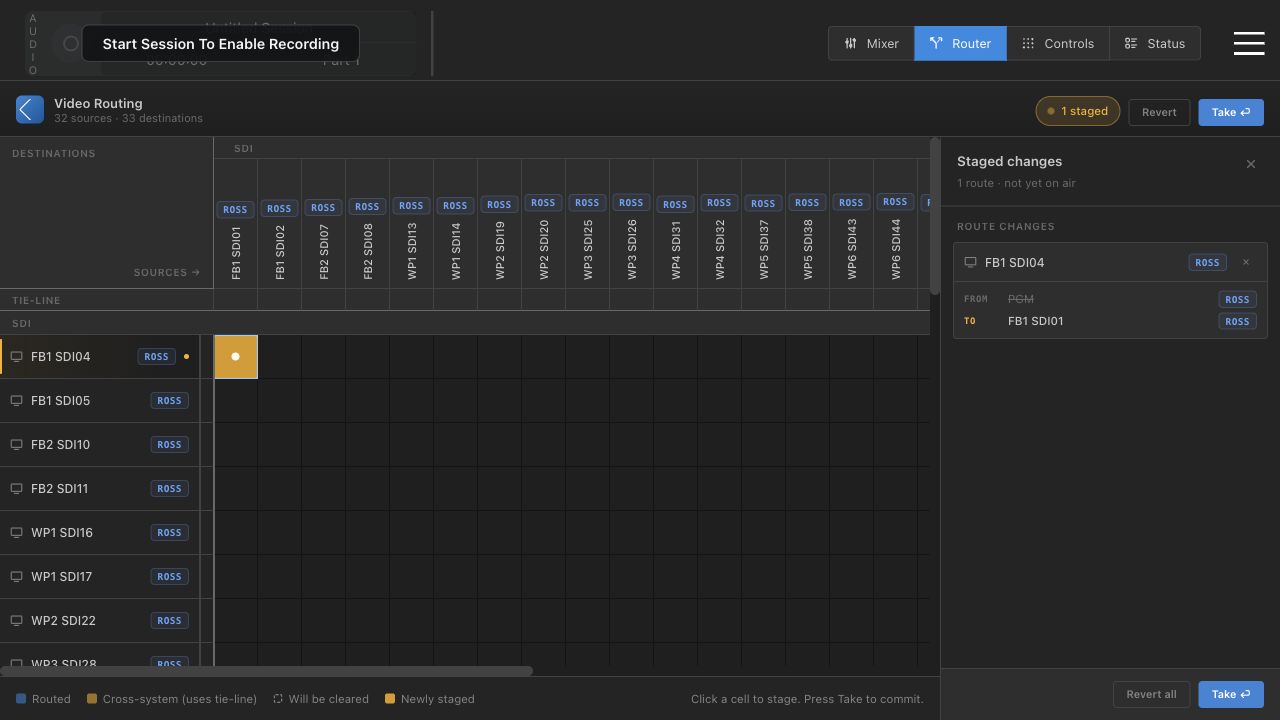
A matrix click creates a staged route. The staged drawer shows exactly what will change before Take.

  • Yellow cell means newly staged.
  • Revert clears pending changes.
  • Take commits all staged changes.
Router staged change drawer
Staged route drawer with Revert and Take controls.

Video 4

SARH Easy Routing setup

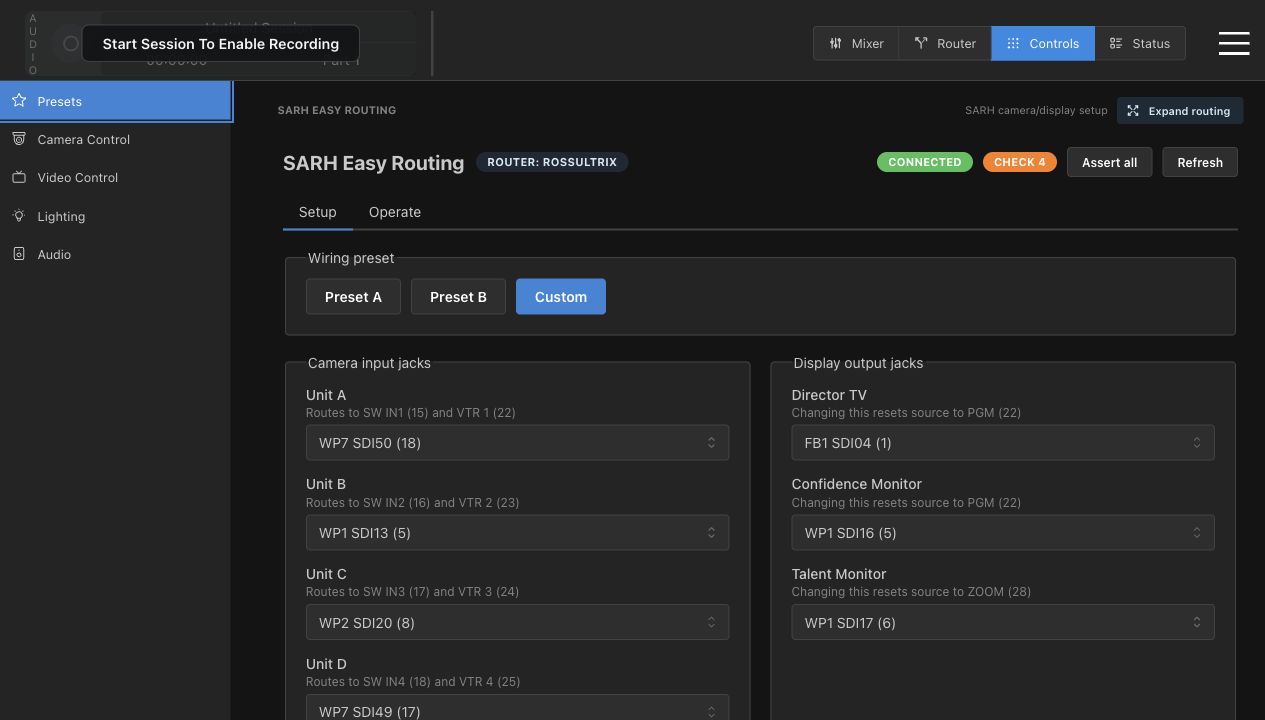
Easy Routing speaks in room terms: presets, camera input jacks, and display output jacks.

  • Preset A and Preset B load known wiring.
  • Custom means current assignments differ.
  • Display changes reset default sources.
SARH Easy Routing setup
Setup tab: camera inputs and display outputs.

Video 4

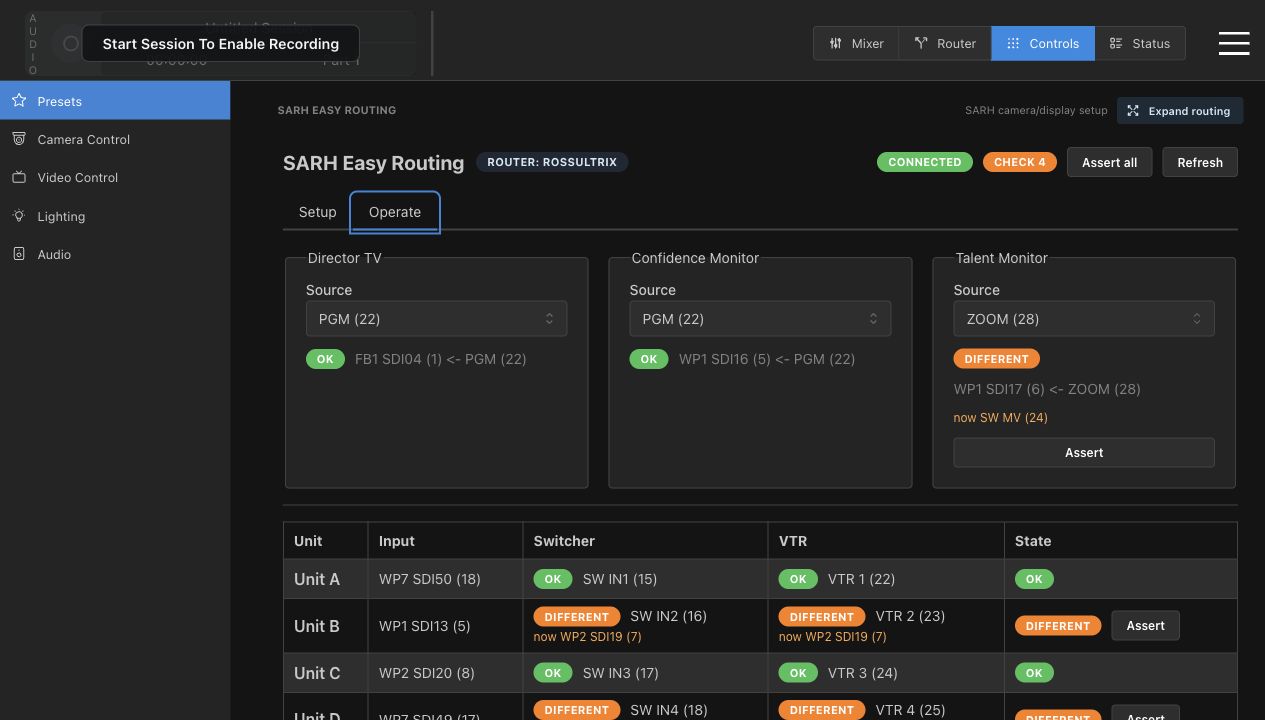
OK, Different, Assert

Operate verifies whether the router matches the desired easy-routing state.

  • OK means desired route is live.
  • Different means router reports another source.
  • Assert pushes the desired route again.
SARH Easy Routing operate
Operate tab with OK and Different route states.

Video 5

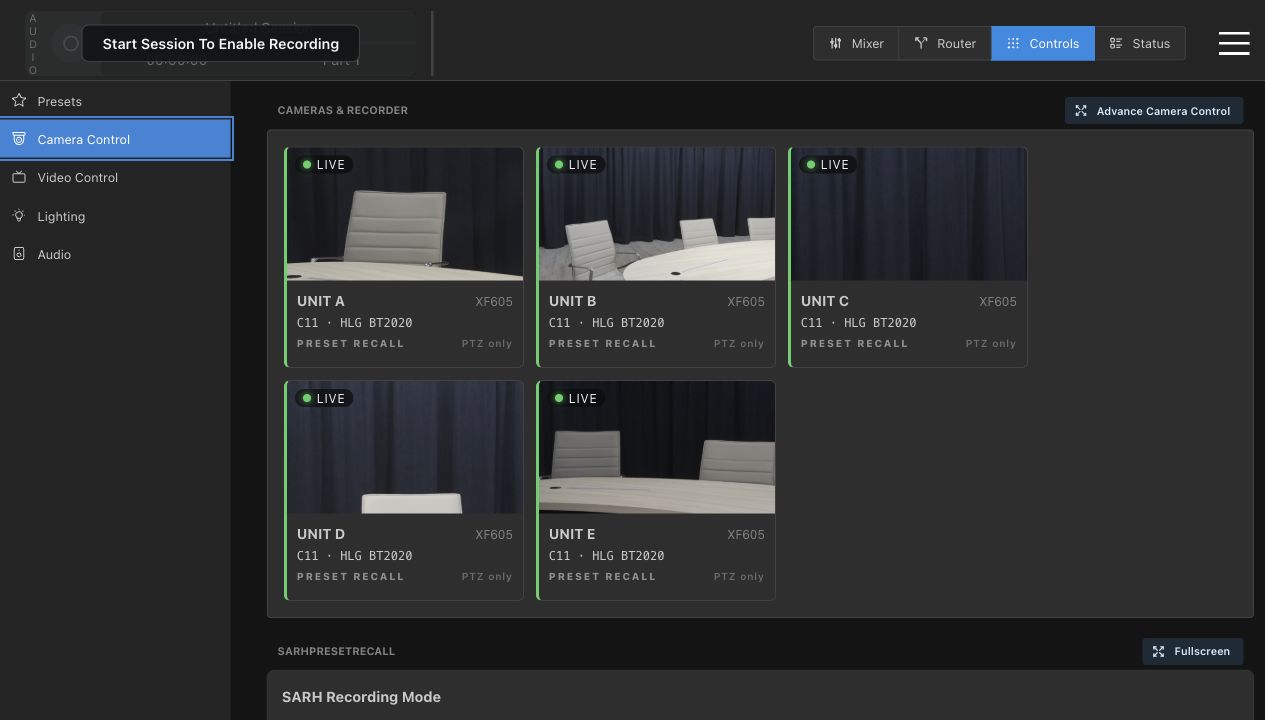
Camera quick control

Camera cards give fast status: live preview, unit label, model, and current picture state.

  • Unit A through Unit E.
  • Live state and XF605 model.
  • C11 and HLG BT2020 are visible here.
Camera card grid
Five Canon camera cards in the Camera Control page.

Video 5

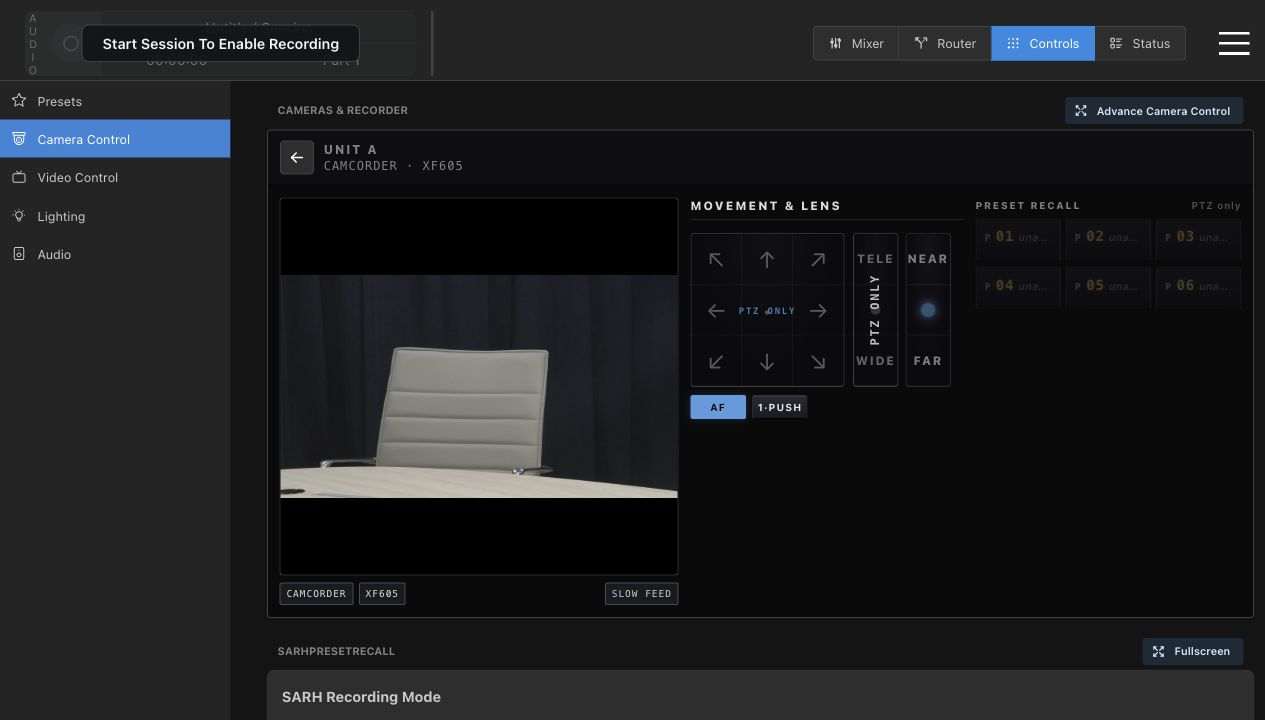
Unit detail: PTZ, zoom, focus

Open a card for direct operation of one camera. Confirm the unit label before adjusting anything.

  • PTZ pad for framing.
  • Zoom and focus in small moves.
  • Preset slots may be unavailable or PTZ only.
Unit A camera detail
Unit A detail view with movement and lens controls.

Video 6

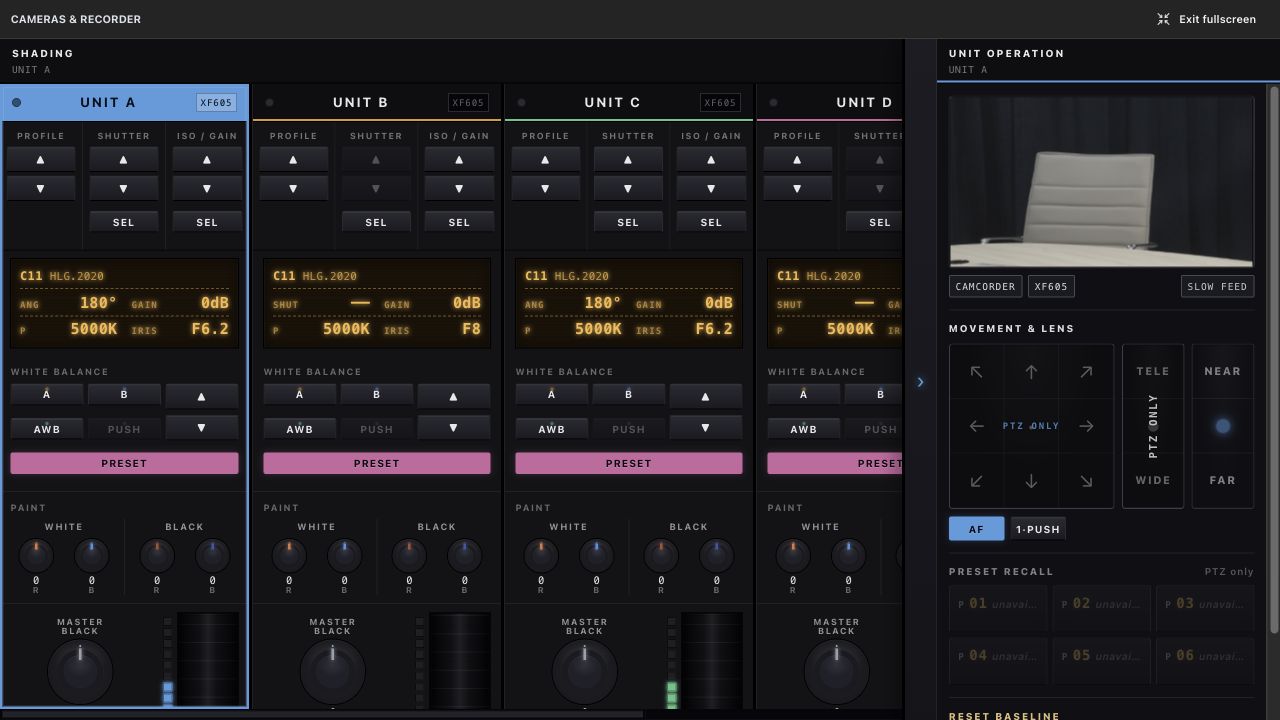
Advanced camera and shading

Fullscreen camera control is for shading, matching, and recovery. It writes directly to camera state.

  • Profile, shutter, ISO/gain, white balance.
  • Paint, master black, iris, AE.
  • Reset baseline is a recovery tool.
Advanced camera controls
Advanced camera rack with Unit operation drawer.

Video 7

Recording mode recall

SARH mode recall puts cameras and recorder into matching capture modes.

  • Long Play: C10, Rec709, H.265 High.
  • High Quality: C11, HLG 2020, ProRes HQ.
  • Choose the mode before the session depends on it.
Camera page with recording mode area
Recording Mode card lives below the camera cards.

Video 8

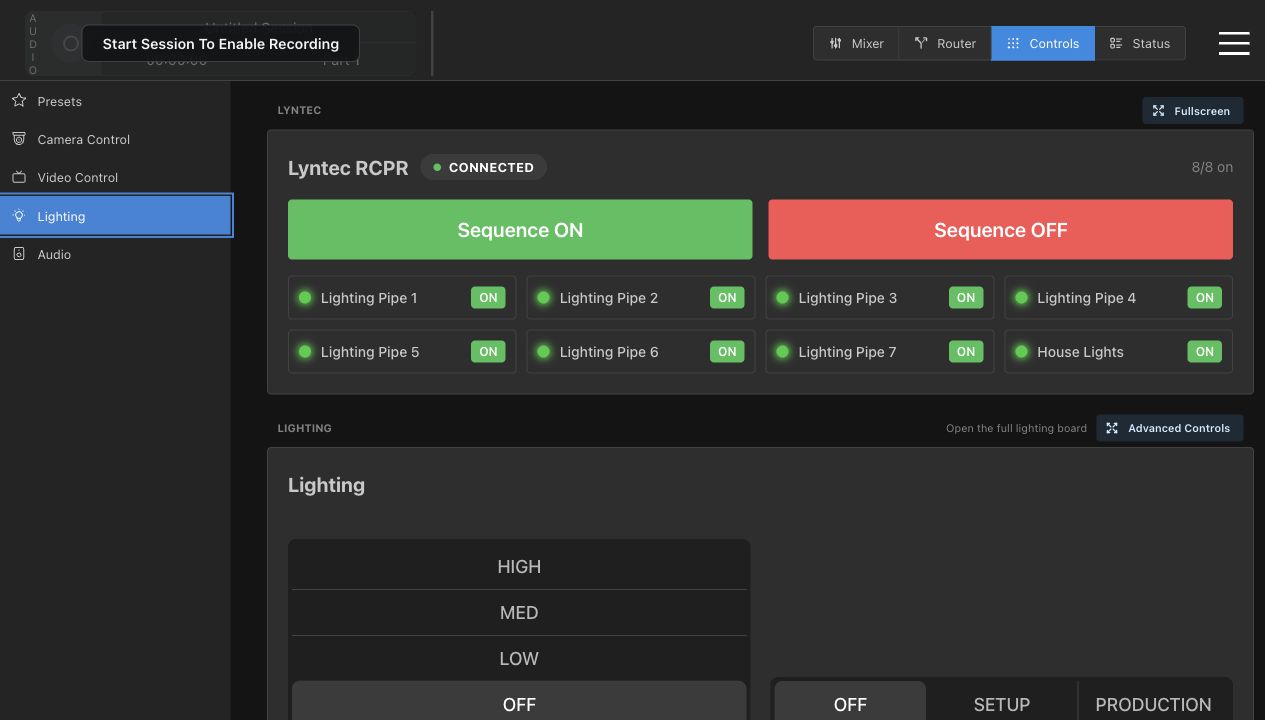
Lighting starts with power

Lyntec controls physical circuits. Lighting looks come after power is confirmed.

  • Connected badge and on-count.
  • Sequence ON and Sequence OFF.
  • Individual lighting circuits.
Lighting page with Lyntec controls
Lyntec RCPR and embedded lighting controls.

Video 8

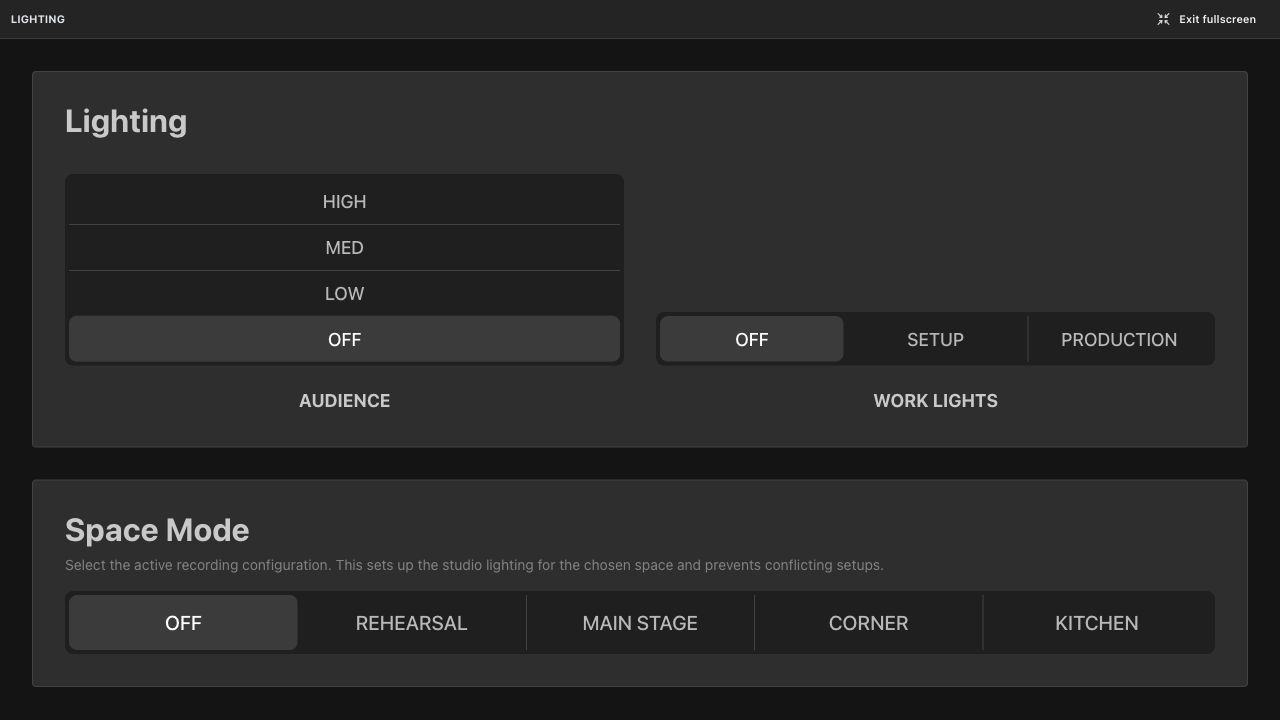
Audience, Work Lights, Space Mode

Lighting fullscreen gives a clean operator view for room looks.

  • Audience level.
  • Work Lights mode.
  • Space Mode for recording configuration.
Lighting fullscreen controls
Lighting fullscreen controls for room state.

Video 9

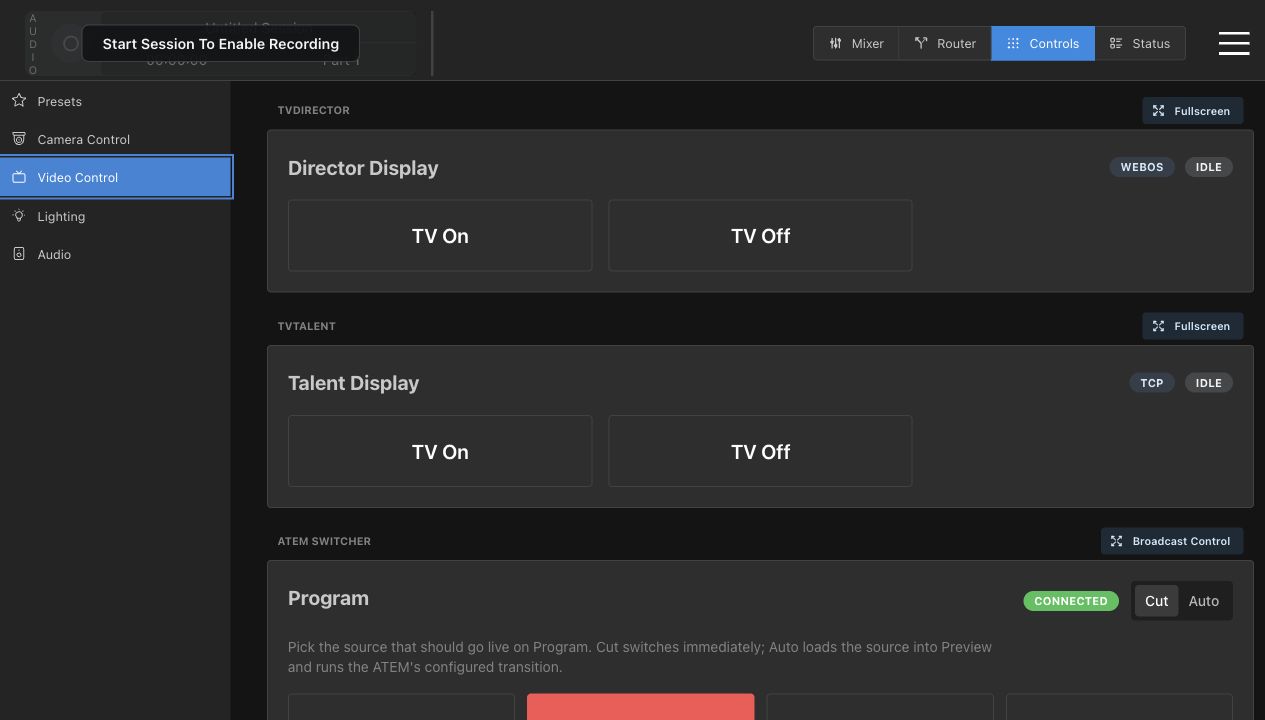
Video Control: displays and ATEM

This page mixes display power controls, ATEM program control, and autoswitch settings.

  • Director Display and Talent Display.
  • TV On and TV Off are real power actions.
  • ATEM Camera buttons affect live switching.
Video Control page
Video Control with display cards, ATEM, and autoswitch.

Video 9

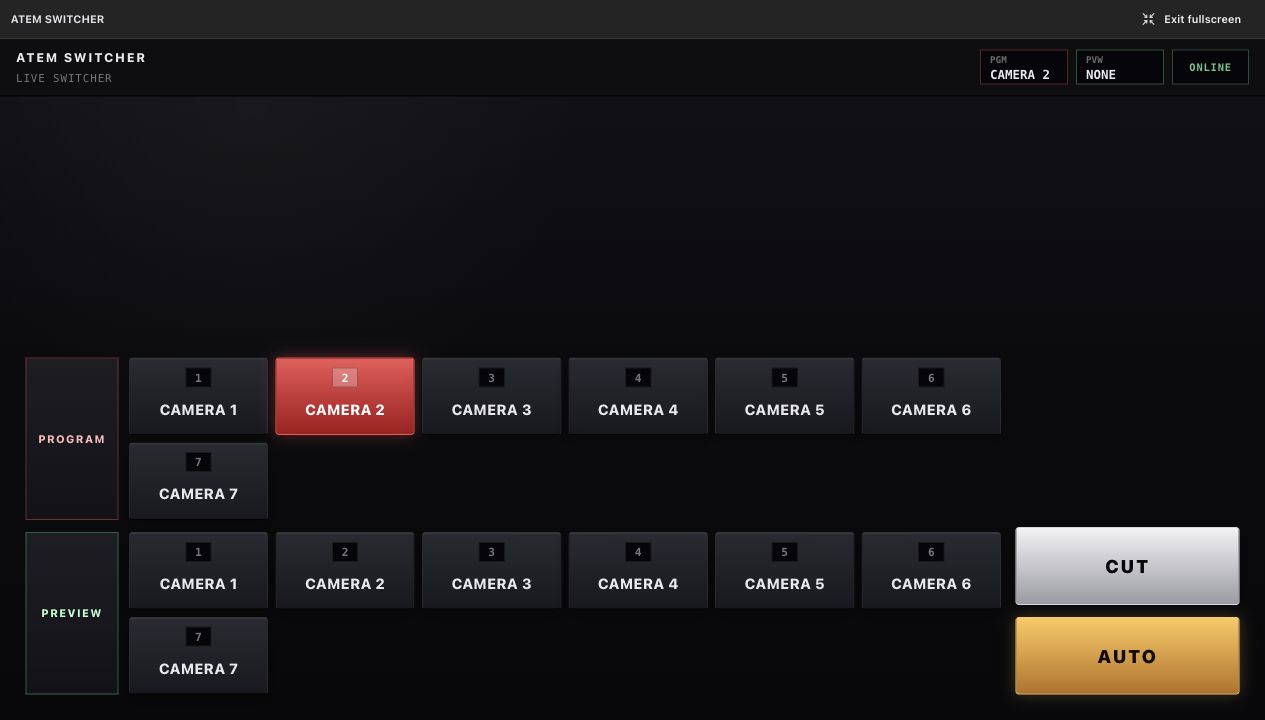
ATEM broadcast control

Broadcast Control is a switcher-style surface. Program buttons are live. Preview buttons prepare the next source.

  • Program bus hot-punches live output.
  • Preview bus prepares the next source.
  • CUT and AUTO take Preview to Program.
ATEM Broadcast Control fullscreen
ATEM Program bus, Preview bus, CUT, and AUTO.

Video 10

Automatic camera switching

Autoswitching works only when mic-to-camera mapping matches the real room layout.

  • Mics map to camera choices.
  • Enable turns automation on.
  • Sensitivity controls reaction speed.
  • Default camera handles silence or ambiguity.
Autoswitch controls on Video Control page
Autoswitch controls live below ATEM on Video Control.

Video 11

X32 input source routing

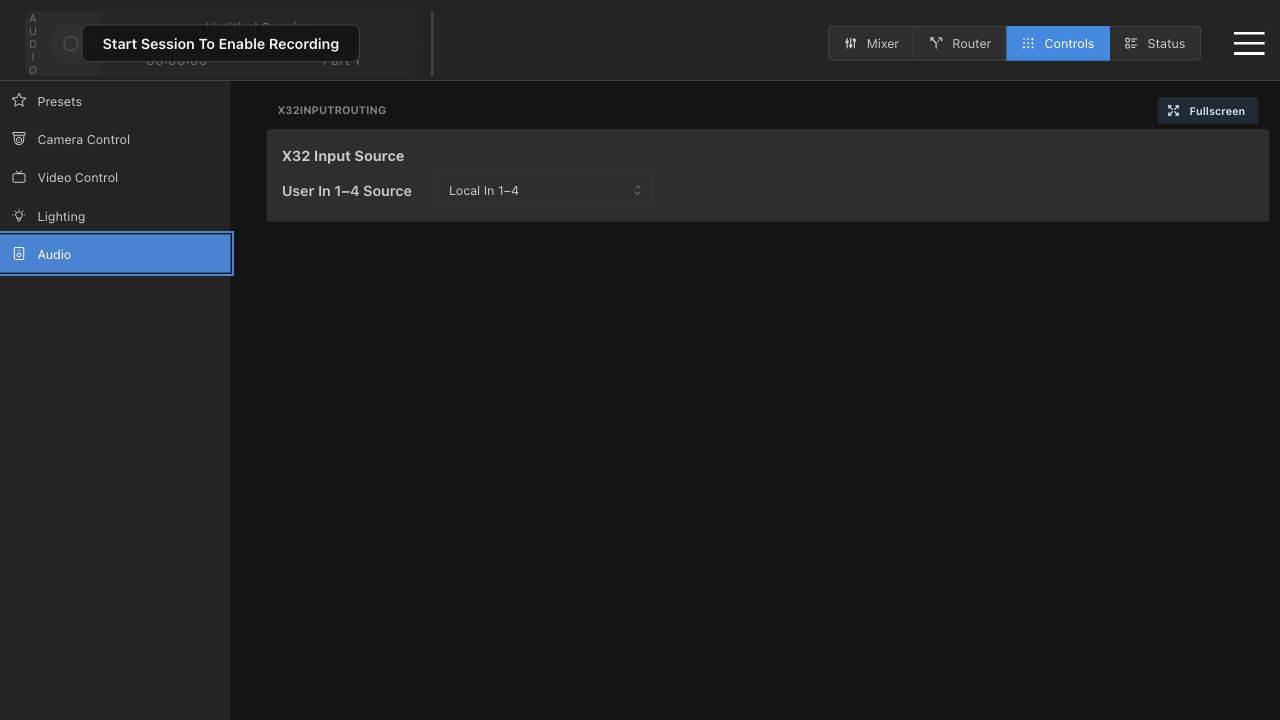
This is a setup and troubleshooting control, not a normal mixing control.

  • Local In 1-4.
  • Card 1-4.
  • Wrong source can look like missing audio.
X32 Input Source controls
Audio controls with X32 User In 1-4 source dropdown.

Video 12

Status and troubleshooting

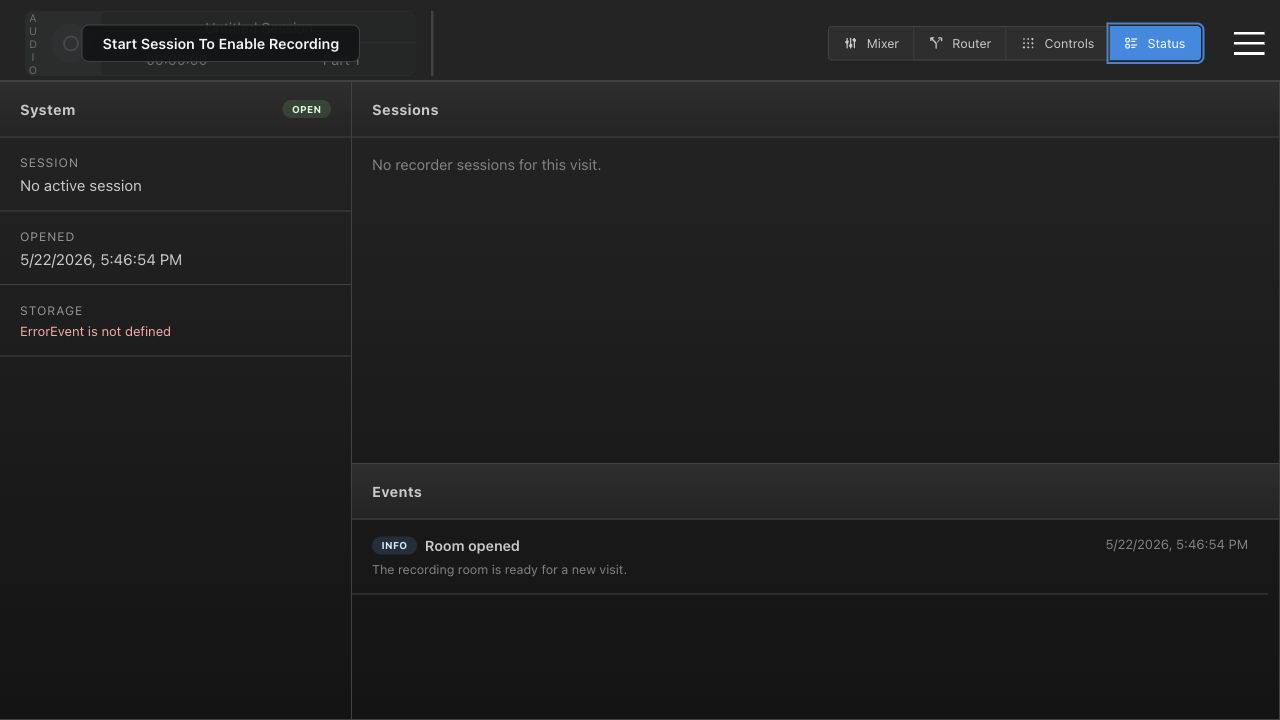
Status gives operators concrete facts before they ask for help.

  • System state and active session.
  • Storage state and recorder health.
  • Sessions and Events panels.
Status page
Status page from the walkthrough with recorder degraded.